WHAT'S NEW
Everything built since midnight
📸 WO-Real
🏃 Who's running
⬇️ Install
🔔 Push
15:00
FIX
Distance & pace on the map are correct now
- The route widget showed 0 km and no pace on live posts — your GPS spot was placed on the map but never measured along the route. It now reads your real distance & pace.
- Location comes from the photo first. If the photo has GPS (where the moment happened), that's used; otherwise we fall back to your phone's current GPS. The photo's GPS is read before resizing so it isn't lost.
14:00
FIX
Post button works again — no more location freeze
- Tapping Post could hang for ~10s and then pop a confusing "No location available" box on every post — it waited for a live GPS fix that, on mobile data or with location off, never came.
- Posting no longer waits for location. If your GPS fix is ready it still lands on the map; if not, the post just goes out without the map — instantly, no pop-up.
14:00
NEW
Sign-up now fits runners, supporters & other crews
- Running or cheering? Sign-up now asks straight away, so a runner from another team isn't quietly filed as a supporter.
- Pick your crew: runners can join an existing crew right at sign-up (or later from the dashboard) — no admin needed.
- Supporters can claim too: the avatar wall now also works for supporters, showing the supporter avatars that nobody has claimed yet.
14:00
NEW
Sign-up now fits runners, supporters & other crews
- Running or cheering? Sign-up now asks straight away, so a runner from another team isn't quietly filed as a supporter.
- Pick your crew: runners can join an existing crew right at sign-up (or later from the dashboard) — no admin needed.
- Supporters can claim too: the avatar wall now also works for supporters, showing the supporter avatars that nobody has claimed yet.
10:00
NEW
Final route locked in — Ljubljana → Zadar, 398 km
- The GPX route has been replaced with the final ARC route. The total distance is now 398 km (was 424), and the route map on your posts, the live board and the event page all follow the new track.
- Everywhere a distance shows — posts, the runner board, the dashboard and the event page — now counts up to 398 km.
18:30
FIX
Runner picker no longer errors, now grouped by crew + pick your avatar at sign-up
- Fixed the intermittent "Error: HTTP 500" on the "Which runners are in the photo?" step. It was a race while the avatar worker was busy in the background; the page now loads reliably.
- Runners are grouped by crew on the picker — each crew gets a heading (with its colour), and anyone not in a crew falls under "Other".
- Pick your avatar when you sign up: if your avatar is already on the wall you can tap it to claim it, instead of always generating a new one. Making one from a selfie and skipping both still work.
09:00
NEW
More share looks: Stickers, Feed post & Square
- Stickers (transparent, no map) — a new transparent overlay with all your comments and badges (logo, runner chips, your message) but without the GPX route map. The route map only makes sense while runners are actually en route during the event, so this look is the everyday sticker pack to drop straight onto your own Instagram story.
- Feed post (4:5) — a permanent grid-ready version, not just a 24-hour story.
- Square (1:1) — fits WhatsApp, Facebook and link previews.
- The share carousel now has eight looks to swipe through.
- The GPX route map no longer shows before the event starts — it only makes sense while runners are en route, so before the start every post falls back to the countdown card instead.
16:40
FIX
Strava: brand attribution & data controls
- Run activities now show "Powered by Strava" and a "View on Strava" link on each run, and the connect button uses Strava's branding — in line with the Strava API Agreement.
- You can disconnect Strava from your Dashboard; doing so deletes your synced runs from OutRun. We also handle Strava's deauthorization signal so data is removed automatically when you revoke access.
16:00
NEW
Run activities on the event board — for everyone
- The crew's Strava runs now show on the Event page, visible to everyone — tap the "EuroTrip — crew progress" card on your Dashboard to open it. Each connected runner appears with their runs, distance, pace and time.
- The feed refreshes itself in the background, so it stays current without anyone tapping refresh.
15:10
NEW
Run activities dashboard (Strava)
- New admin page (menu → 🏃 Run activities) showing every connected runner's runs from Strava — per-runner totals (runs, distance, moving time) plus each activity with date, distance, pace and duration, sorted by who's logged the most kilometres.
- Pick the window: last week / 2 weeks / 30 / 90 days, or "From EuroTrip start" (once the event begins). Tap Refresh from Strava to pull the latest.
13:30
FIX
Fixed pages sometimes loading with no styling
- Fixed the bug where a page (e.g. Home) could open as plain, unstyled text. The app now serves its styles and code from the on-device cache instantly and refreshes them in the background, so a brief network hiccup can never leave a page unstyled.
- The core look (shared styles + scripts) is now pre-cached, so even the first open after an update stays styled.
11:00
FIX
Fixed: camera, photo upload & the "Next" button on the post maker
- Fixed the bug where choosing a photo did nothing (and threw a "Can't find variable" error) — caused by an outdated cached script being mixed with a newer one. Picking a photo from the camera or gallery now works, and the "Next: runners" button enables as soon as a photo is selected.
- The app no longer freezes on a slow connection: pages and their code fall back to the cached copy after a moment instead of waiting on the network, so buttons stay responsive — and a stale cached script can no longer break the page.
- The sign-up "Next" button can't get stuck on "Checking…" anymore — if the name check is slow it times out and lets you continue. Picking an iPhone (HEIC) photo also shows a "Processing…" message right away instead of looking dead.
08:30
NEW
Assign runners to crews + crew logos
- Admins can now assign anyone to a crew straight from the Users page (with their avatar shown), and runners can join their own crew from their dashboard. Admins can also upload a logo per crew on the Manage teams page - it shows up on the event board next to the crew name.
08:13
FIX
Fixed posts failing to render
- Fixed a bug introduced with the share carousel where the photo composer could crash before writing your post. Uploads render reliably again.
08:13
NEW
Two more share looks: Clean & Black-and-white
- The share carousel now has five story looks to swipe through: everyone-in-frame, zoomed-in, a brand-new Clean look (just your photo + the WO?! logo, nothing else), a Black-and-white film look (mono photo with the colour overlays kept), and the transparent overlay-only PNG.
07:55
NEW
Share carousel on the result page
- After your post renders you now swipe through three story-format looks - everyone-in-frame, zoomed-in, and a transparent overlay-only PNG - and tap Share This to send it straight to Instagram, WhatsApp or Messages. No more download buttons (they were unreliable on iPhone); sharing uses your phone's native share sheet.
07:40
NEW
Admin event settings — all in-app
Built for running the event from the road.
- New /settings (admin): tune WO?!-Real moments & reveal time, the event start/route, and rewards — no file editing
- Enter Strava keys in-app too. Changes apply live and survive deploys (saved to the data volume, not the committed config)
07:29
NEW
Three ways to download your post
- On the result screen: Story (centred + fade), Instagram Post (4:5, photo zoomed in), or Overlay-only (transparent PNG)
- All three are rendered from the same cartoon — no extra wait or cost
07:22
NEW
WO?!-Real countdowns
- WO?!-Real now counts down to set moments through the event — live on your dashboard, with a Notify-me option
- It's a surprise: revealed to everyone at 6 AM on event day; runners get a preview before that
- Admins and runners can kick off a WO?!-Real moment (5-minute window)
07:02
FIX
Cleaner menu + Strava-based crew kilometres
- The menu is grouped into short sections (Explore / You / Admin) — much easier to scan
- Team setup is now just crews + their runners; kilometres come from each runner's Strava and only show once they connect it
06:44
FIX
Camera step tidy-up
- Removed the photo preview on the camera step — it added no value
- Supporters are now also asked for their device location, like runners
06:23
NEW
New camera flow — snap, pick your crew, post
The post maker is now a clean 3-step flow.
- Step 1 opens the camera, step 2 pick who's in the photo, step 3 add a message & post
- Supporters get just those 3 steps; runners also get a quick icon picker for the post type
- Consistent naming + a camera button throughout
06:08
NEW
Manage your crews + a tighter, consistent app
- New: Manage Teams (admin) — add crews, assign runners, set km/pace right in the app (no JSON editing)
- Same width on every page now — no more layout jumps when you navigate
- Your avatar is the menu button on every screen — consistent navigation
23:39
NEW
Live race map, Strava-ready, a slicker app
The EuroTrip event now feels alive — and the whole app got more uniform.
- Live race map: watch the 3 Antwerp crews race the real route to Zadar
- Supporter kilometres can sync from Strava — connect on your dashboard (rolling out soon)
- Smoother & more uniform: sticky bottom nav, count-up stats, subtle animations, consistent dark styling everywhere
- Privacy-first visitor insights for admins — no cookies, no consent banner
- Your name now works across devices — no more 'signed in on another device'
23:17
NEW
One OutRun look + the EuroTrip event board
The whole app now shares the OutRun style, and the event has a proper home.
- New Event page: 3 Antwerp crews (WO?!, ARC/DC, Bearly Running) with live km, pace and runners
- Rewards now rank supporters by the kilometres they run during the event
- Consistent width + bottom nav across the app — no more layout jumps
- Sign-up is one step: confirm your name and you're in
- Training dashboard with Strava analysis — coming soon
22:38
NEW
OutRun is your new home
Sign-up and your home base are now OutRun; WO?! is the EuroTrip event you step into.
- New OutRun home with your avatar, the WO?!-Real countdown and the live EuroTrip card
- My Rewards: a supporter leaderboard — top 3 win the OutRun × WO?! giveaway
- My Dashboard: your posts, WO?!-Real moments and crew progress at a glance
- The whole app is now in English
20:03
NEW
Powered by outrunworld.com
WO?! is now the launch chapter of the OutRun platform.
- A subtle 'powered by outrunworld.com' badge now appears on the welcome screen.
- A new OutRun landing page introduces the platform behind the app.
08:49
NEW
Instagram approval queue
Generated posts now go through an approval step before they land on Instagram.
- An admin approves or rejects each post before publication.
- Safe by default: dry-run — nothing is actually posted until the live switch is on.
- Managed from the ⚙️ Admin panel: preview, caption, and approve / reject / post.
01:00
NEW
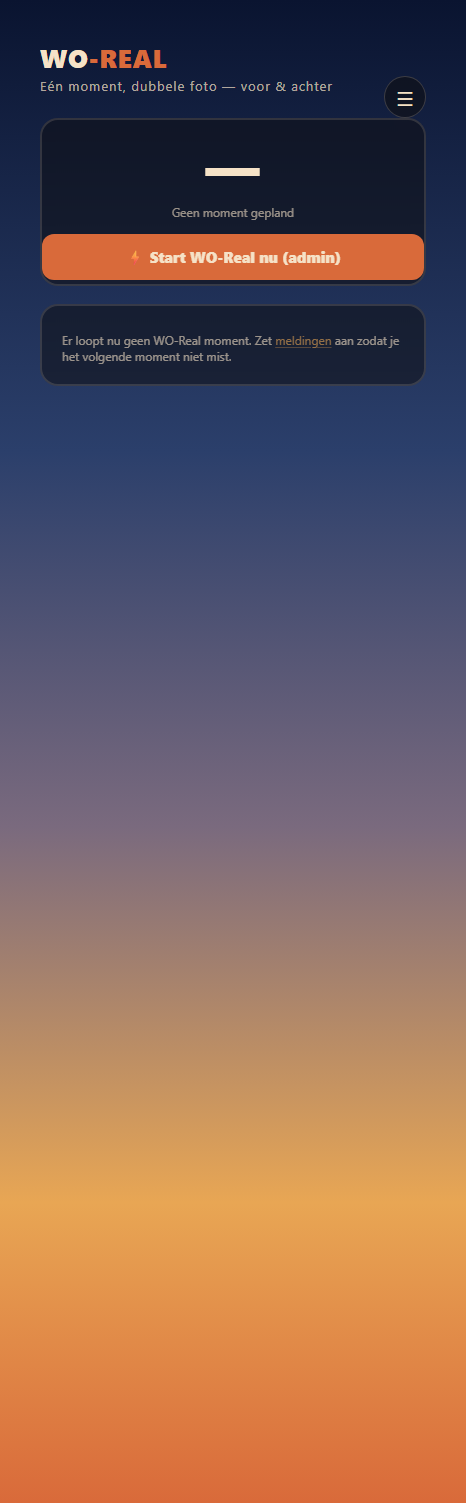
📸 WO-Real — timed dual photo
A BeReal moment for the trip. At a scheduled time, everyone with the app gets a notification and a few minutes to take a photo with both the front and back camera.
- Countdown to the next WO-Real moment, and a live window once it starts.
- A background scheduler on the server checks the scheduled moments every minute and sends the push notification automatically.
- Admins can start a moment on the spot.
the WO-Real page
01:00
NEW
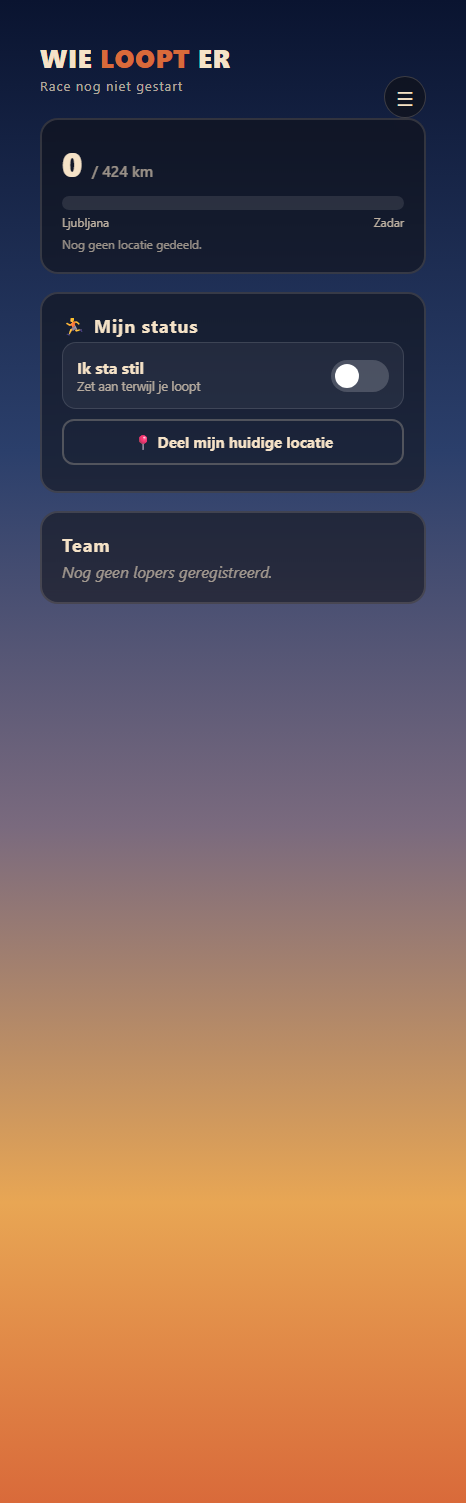
🏃 Who's running now
Runners set themselves "on" when it's their turn. Supporters see who's running — along with the distance, calculated from the last shared location.
- Runners switch themselves on/off on the page.
- Distance derived from the furthest GPS location reached along the route (total ± 423.6 km).
- Only visible to supporters once the race has started.
the "who's running" page
01:00
NEW
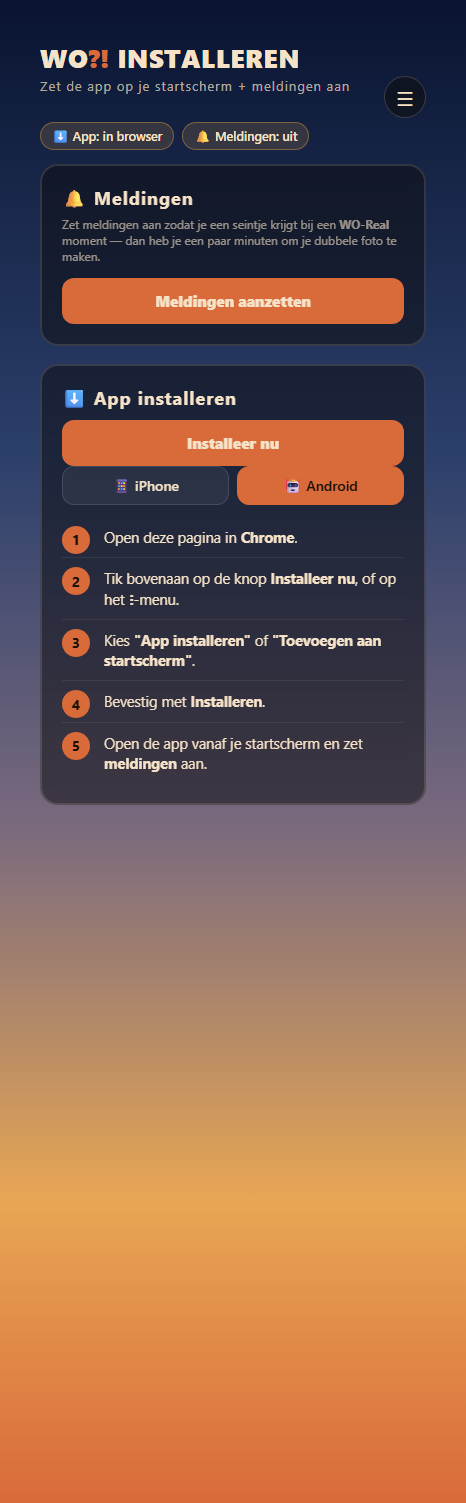
⬇️ Install + notifications
A step-by-step guide to adding the app to your home screen — separate for iPhone (Safari) and Android (Chrome) — and to turning on push notifications for WO-Real.
- Separate instructions per device, with status chips for "installed" and "notifications".
- Web Push set up with VAPID keys; a test-notification button to check it.
the install guide
01:05
REFINED
✨ UI polish across the whole app
- Buttons the same size and touch-friendly everywhere, with hover, pressed, and disabled states.
- Text links in the house style (gold → coral) instead of browser blue.
- A neat focus ring for keyboard users; the grey tap flash on mobile is gone.
00:43
FIX
🖼 Nicer photo cartoons
- Faces stay visible behind the speech bubbles.
- Story format: cartoon in a letterbox over a blurred background instead of cropping the sides.
- Instagram safe margins respected; the speech bubble is placed neatly without overlap.
00:07
FIX
📷 Friendlier upload
- Clearer text, an explanation of why the send button is disabled, and what your location is used for.
- Transparent mode + cartoon gating; live GPX by default; a fresh sender per post.
Built overnight on 31 May — while you were sleeping. 🌙